Mobile app track/route information

I wanted to know if there is a way to view more route information when navigating a track/route on the Calptopo mobile app
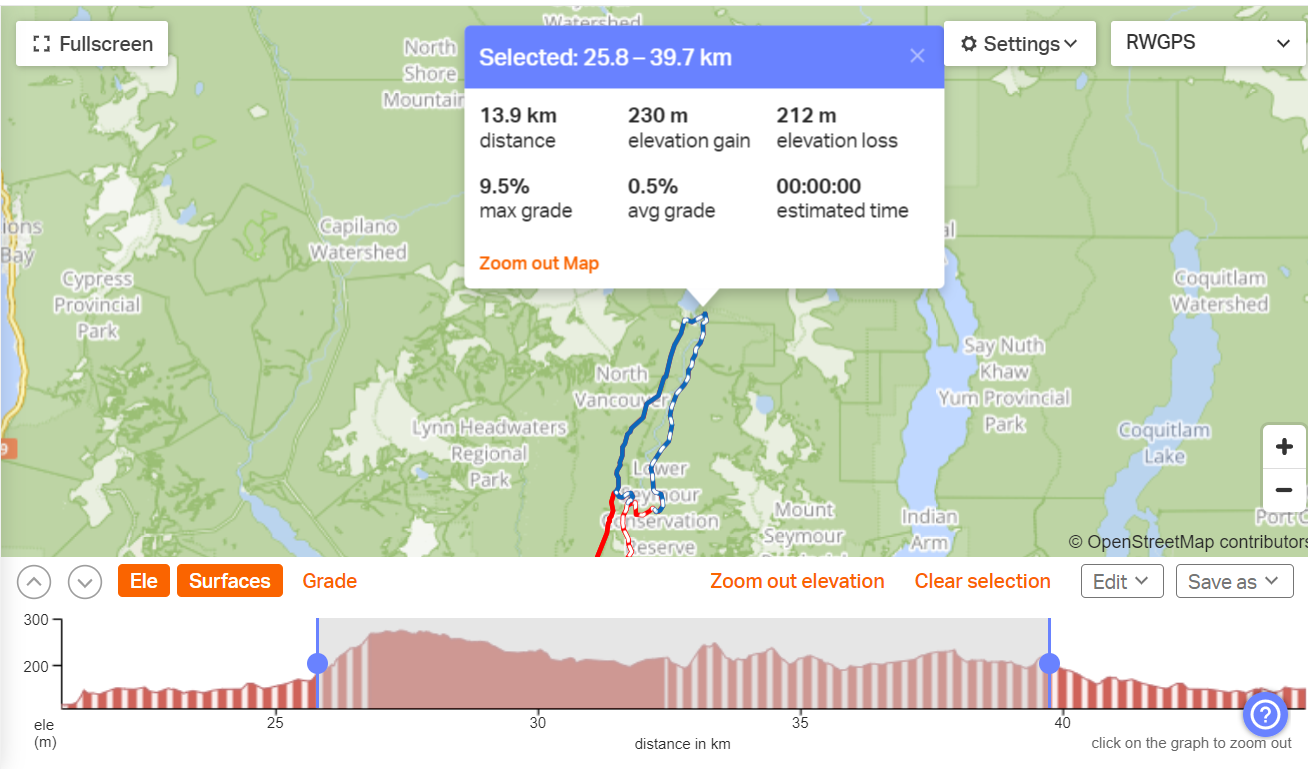
1) I would like to be able to select a point along the route I am on (whether navigating it or just viewing it) and see distance and elevation profile (gain) between where I am on the track to the point selected.
2) I would like to be able to look at a section of a route and see the distance and elevation (gain) between the two points (not necessarily from where I am at the moment - say, for example, a section that I'll be reaching later in the trip.
RideWithGPS offers these features and I am wondering if this is something that Caltopo can also introduce. I find these to be very helpful pieces of information when navigating routes in the backcountry.
Comments
5 comments
I agree, this would be really useful.
I also agree that reviewing the distance/elevation profile/data between two selected points on a track/line/route would be excellent. This is a feature I use frequently in Strava and would like to be able to do this in CalTopo
Another strong vote for this. Right now if I want to, for example, see how much elevation gain/loss I have left until I get to the top of a peak, I have to take my existing line, split it, and then view the elevation profile. I then have to join the two lines that now exist back together to get back my original line. This is not a very user-friendly workflow!
I believe that this should be a fairly simple improvement to make. With the backend already in place for making elevation profiles, I think this would more or less just require an enhancement to the UI.
Agreed this would be super useful and I would think, fairly easy to implement. Such a pain determining how much further to a given point accurately on the mobile app. On desktop you are able to trace along the route with the Profile tool. That feature on mobile would be enough. It would also help for routes that cross paths a lot as it's hard to tell which way to turn with the current UI where it is easy with the Desktop "trace" tool.
I also agree with this, I usually don't track with my phone to save battery but I have my gps on and the route profile pulled up to see where I'm at. I want to click on spots on the route and it give me the details for that. So I could click on my gps location, and then click where I am going and see I have x miles to go and y elevation to climb. Right now I have to trace my finger along the graph in the profile view which isn't going to be as accurate as just tapping the spots I want!
Please sign in to leave a comment.