Creation of a grid for SAR evidence search

I would like to be able to create a grid of squares on the map for evidence search. Each square needs to be about 1 acre. CalTopo apparently won't do a grid with cells that small. Is there a work around? How is it done?
Comments
9 comments
K9 has requested this for awhile we usually search in 1 acre blocks. If we could just make a polygon 1 acre then copy and paste I tried several time but not able to make it work.
It’s a little cumbersome but I think that it will work for you. Create a polygon of the entire search area using individual parallel lines.
Right click on a line and select transform. Then select create points. Create points every 208 feet. Do this on each line. That sound give you I acre boxes.
Oh, now, I'm just going to have to write some code to do this. ;-)
Please Please our K9 teams really need it.
Like this?
Yes yes
Like 1 acre blocks
I found a pretty simple solution to this some time ago; hopefully it will help you. It has quite a few applications.
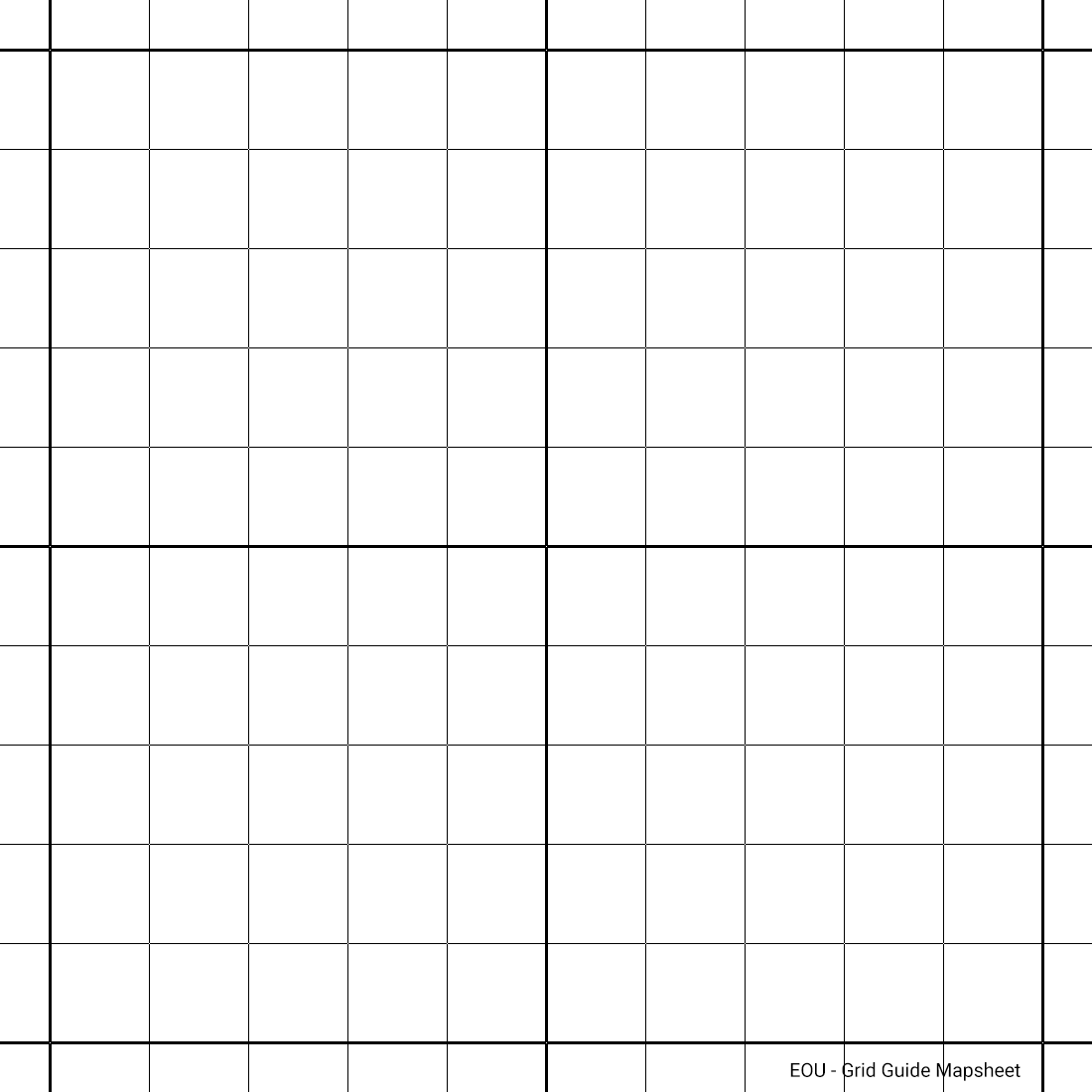
1. Create 2 points on your mapping that represent the size of the square/grid you want (ie, 1 sq acre, you'd want sides of ~209 feet, ~64 meters).
2. Create yourself an image file (JPG, PNG), being a grid of squares (say 10 x 10) on *white* (not transparent). If any of you want this and can't create such an image, I'm happy to assist.
3. Add your image as a Map Sheet; adjust square to match your markers (so your markers will determine orientation etc if not north/south)
4. Now you can add neat, near perfect polygons over your map sheet; and using Snap To LINES will make even neater if required.
Some tips: Using Map Sheet opacity while creating objects is useful. You actually don't need to 'SAVE" the Map Sheet; you can add it, create your polygons, and then just CANCEL the Map Sheet.
I learnt the hard way it is important not to get clever and create a grid guide image with just lines and 100% opacity in between (ie PNG) - when you come to align the Map Sheet, there is no image data in the 'blank' areas to 'Mark Point 1/2' (no pixel to assign a lat/long to). So just use Map Sheet opacity.
I use this all the time where I need quick, neat square polygons. I hope this is a handy solution for you all.
I've added an example here of above;
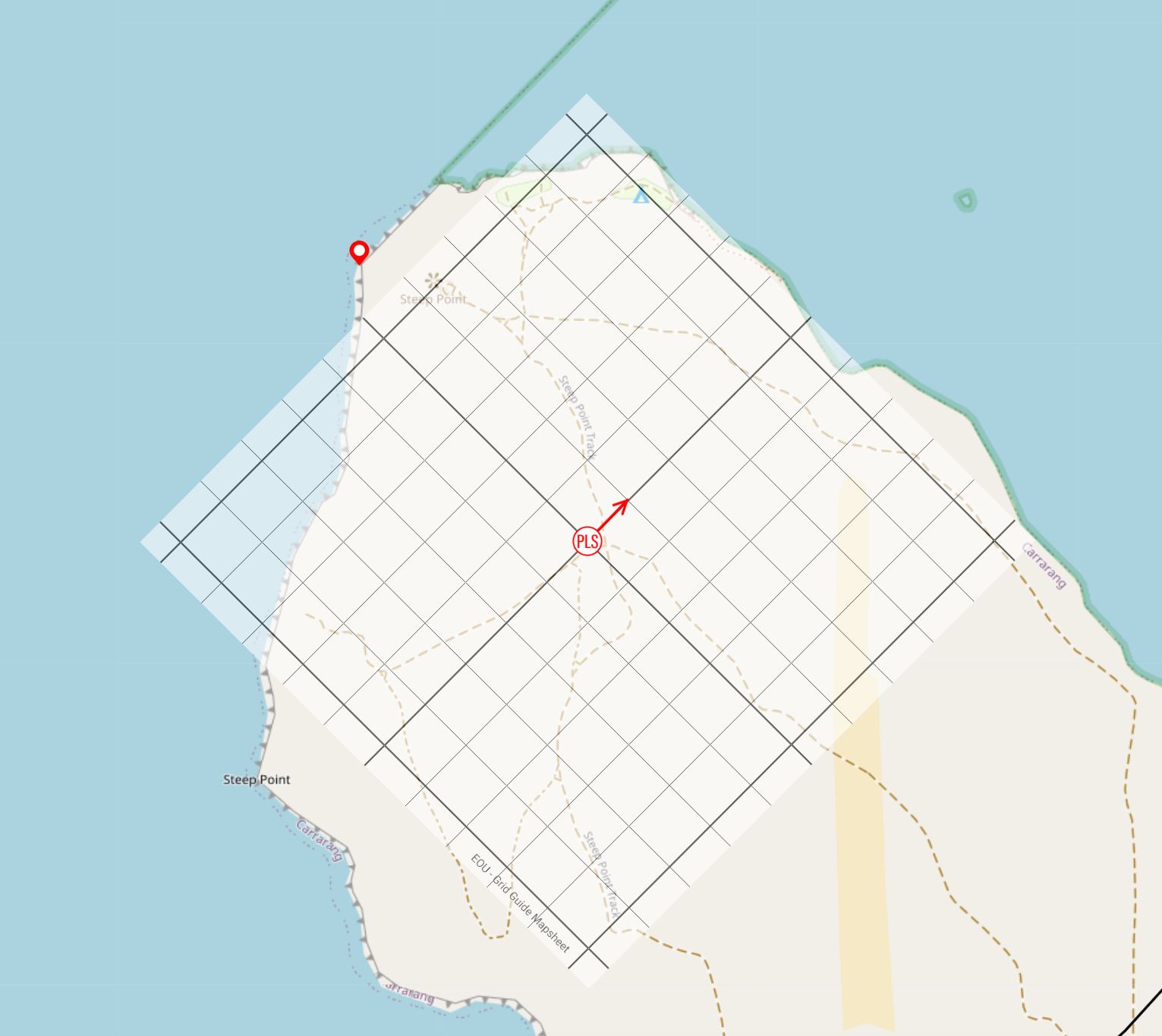
1. Add PLS / any point of origin
2. Added bearing line to orientate grid, in this case 045º to 100 meters
3. Add Map Sheet. Centre of Map Sheet set to co-ords of PLS. Any other point you want aligned to end of bearing line.
In this example, I now have 100m x 100m squares at 045. I haven't 'saved' the Map Sheet, and can add polygons quickly & neatly over the top.
Please sign in to leave a comment.