Dashed lines not rendering

I'm having issues with dashed lines not rendering properly. Any of the line style options except the basic solid line produce a bunch of glitched fragments in a grid pattern. (see below) If I'm logged out (or view in incognito) they render fine, it's only when I'm in edit mode.
I'm using Mac/Chrome and have cleared cache, restarted, etc.
Has anyone else experienced this? It only started about a week ago.

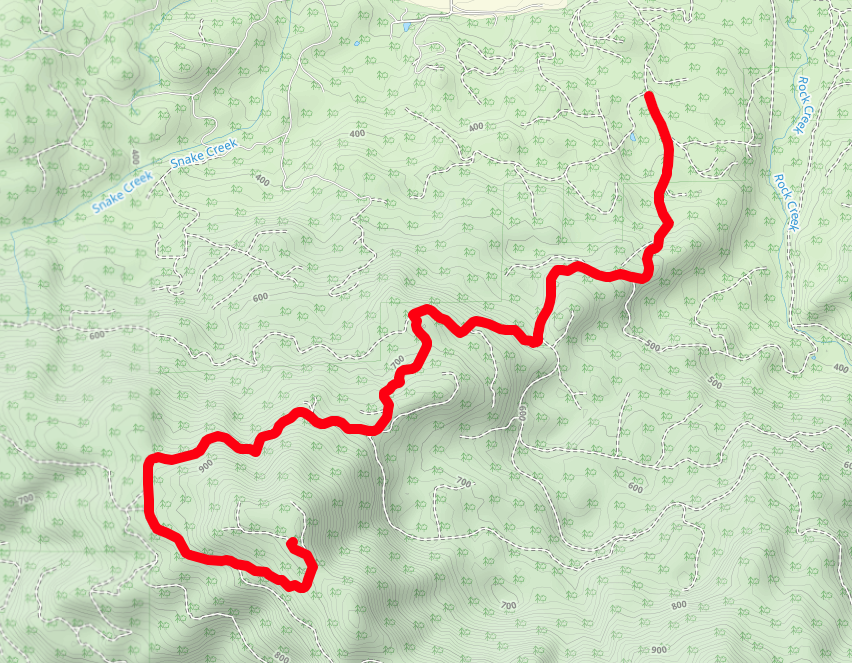
Same line, using the basic solid line option:
Comments
5 comments
Please email us at help@caltopo.com with your account details and the saved map this is on so we can look into this further.
Not experiencing this, but how is the glitch example the same line? Your solid line doesn't go anywhere near Snake Creek, so this doesn't look like the kind of partial rendering thing you sometimes see in, say, Google Earth, where zooming in or out produces unexpected but at least geospatially faithful results.
Yeah, that's the problem! Just creates spolches everywhere except where I want a dashed line.
I am experiencing the same issue on the desktop when opening a map with Microsoft Edge. Google Chrome is fine.
I am using a Lenovo laptop with Windows 11 Pro and both Edge and Chrome are using the NVIDIA GeForce MX450 GPU (High performance graphics setting in Windows 11 Pro)
(Feb 15, 2024 EDIT) I am no longer having any issues displaying dashed or dotted lines in either Chrome or Edge. Both are set to "High Performance" in Windows 11 and are using the NVIDIA GPU.
The lines appear to be working again, I reset the PRAM for an unrelated issue, that may have been the fix.
Please sign in to leave a comment.