Help needed to make a detailed Garmin Custom Map using satellite images

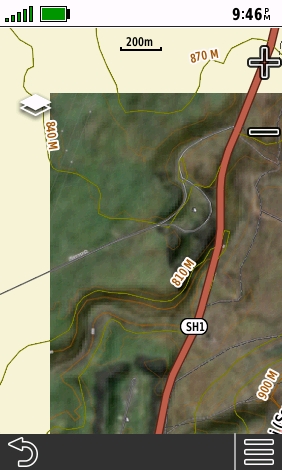
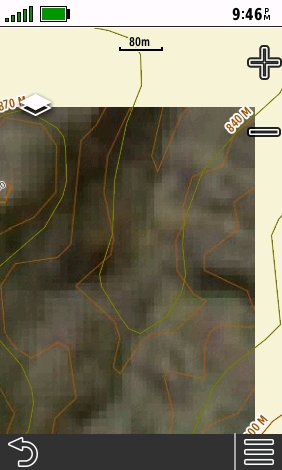
Yesterday I bought Desktop as I want to work on a large screen, not a phone. I needed to get at least Pro so I could make Garmin Custom Maps for a Garmin hand held GPS - in my case a 67i. The aerial detail looks fine with the Base Layer 'Global Imagery'. I don't see a Google Earth layer. The "Live Satellites' list of sources either have nothing for New Zealand or have lots of cloud at the moment. However when I go to the print page with 'Garmin Custom Map' selected and the Max Zoom set to 16, the detail when zoomed in is lost with large pixels.
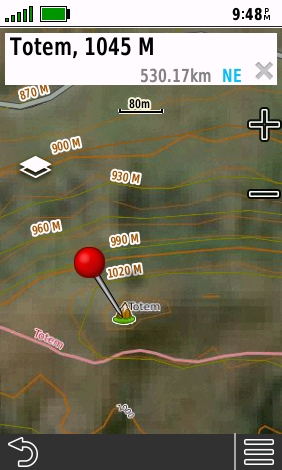
I generated the KMZ file and loaded it to the GPS anyway but the map is useless, having no detail at all. Despite the Garmin GPS custom map setting of 'Map Color Brightness' set to 'Brighter' (the maximum setting) the map is also too dark.
The kmz file size is very small due to the low detail. An area of 16 sq.km (4,000 acres) is only 261kb. Surely I must be doing something wrong. Please point me to settings that will produce proper detail thank you. I have searched in the Help.
I don't need CalTopo for any other type of map - we have excellent topo maps available. It's only use to me is to easily make Garmin Custom Maps showing satellite / aerial images using Google Earth or similar.
Below is a screen shot of my settings and following that some screenshots from the GPS.
Thank you, Tony


Comments
0 comments
Please sign in to leave a comment.